What exactly does ASTRA do?
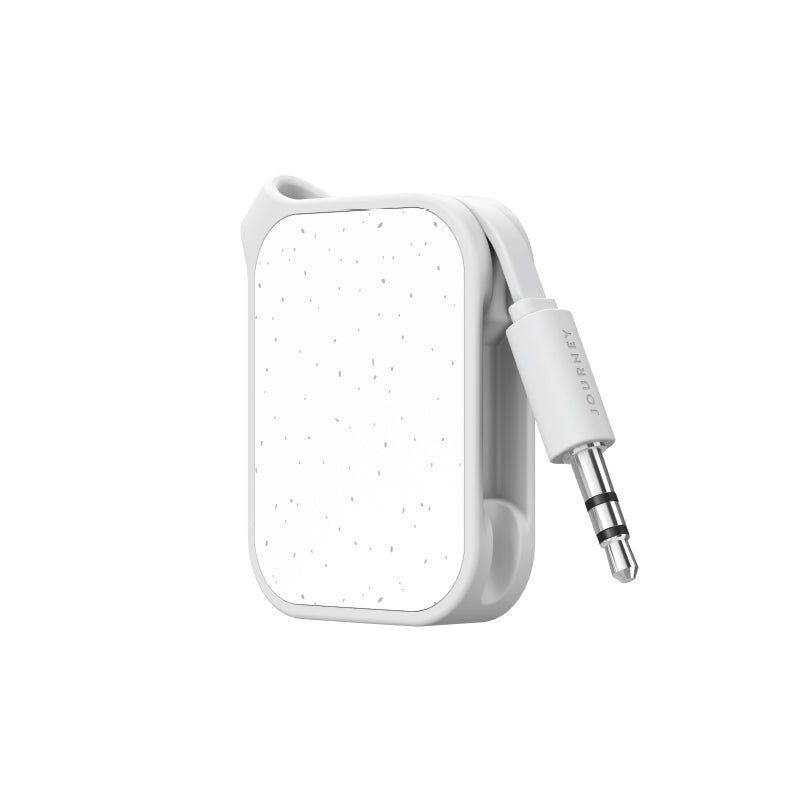
ASTRA lets you use your AirPods or Bluetooth headphones with devices that don’t have Bluetooth — like airplane entertainment screens, gym equipment, TVs and gaming consoles. Simply plug ASTRA into the device’s headphone jack and listen wirelessly. It also works in reverse, allowing you to stream music wirelessly from your phone, tablet or laptop to wired speakers, car stereos and other non-Bluetooth sound systems.
How do I use ASTRA with my headphones?
ASTRA has a built-in tuck-away cable (magnetic) with a 3.5mm audio plug. With the Transit Mode switch on, plug it into the audio port on in-flight entertainment systems, treadmill touch screens, and other entertainment systems. Then pair your headphones and stream your audio.
How do I use ASTRA with speakers?
Plug ASTRA into the audio port/s on non-Bluetooth speakers, including portable, party, or car speakers. In Receive Mode, play podcasts, records, and shows from your phone/tablet/laptop, through the speakers.
What is the additional aeroplane adapter included in the box?
It’s a dual-audio plug attachment for audio sources with two audio ports. These include many in-flight and treadmill entertainment systems. Plug the adapter into your audio source and then plug the main ASTRA audio plug into the adapter’s converter port.
Will ASTRA work with my Bluetooth headphones?
ASTRA is universally compatible with Bluetooth headphones.
How long does the battery last?
Over 25 hours on a full charge – enough for long flights or extended listening sessions.
How do I recharge it?
ASTRA recharges via USB-C. JOURNEY also includes a USB-A to USB-C cable in the box. Insert the USB-C head into ASTRA’s USB-C port, and plug the USB-A end into a wall charger or laptop’s USB-A port. A full charge takes about two hours.
What are Transmit and Receive modes?
Slide the mode switch to choose between:
Transmit Mode (TX): Streams audio to Bluetooth headphones or earbuds.
Receive Mode (RX): Streams audio from your device (phone, tablet, laptop etc)
How can I pair two sets of Bluetooth headphones or earbuds?
Follow the simple steps in the included user manual. In essential terms, you will need to activate pairing mode on both headphones and use ASTRA’s power button to connect.
What is ASTRA’s Bluetooth range?
Up to 10 metres in clear space.
What if I can’t enter pairing mode?
Ensure ASTRA is charged and switched on. Keep it close to your headphones or speakers while pairing. To reset, press the power button three times.




 Australia
 United States
 Canada
 United Kingdom
 Singapore
 New Zealand
 South Korea
 Japan
Japan
 Europe